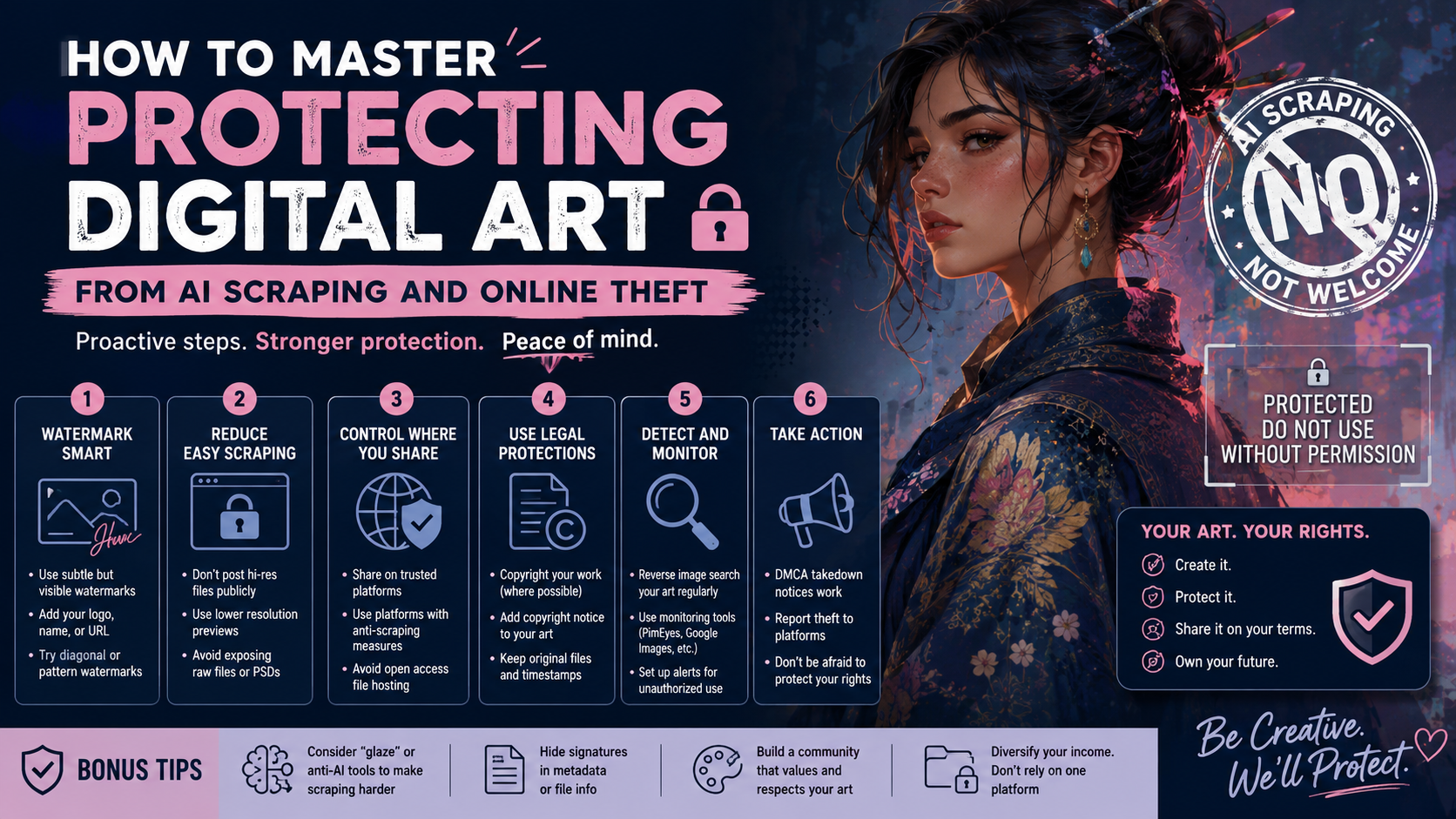
Key Takeaway: As generative AI engines continue to train on vast datasets, visual artists require proactive, multi-layered strategies to protect their intellectual property. Relying on traditional watermarks is no longer sufficient against modern diffusion models or deep-learning object removal tools. To protect our digital portfolios, online galleries, and fine art reproductions, we must combine technical data poisoning, robust metadata protocols, strategic resolution caps, and legal infrastructure.
1. The Anatomy of Modern Art Theft: How Scrapers Target Your Portfolio
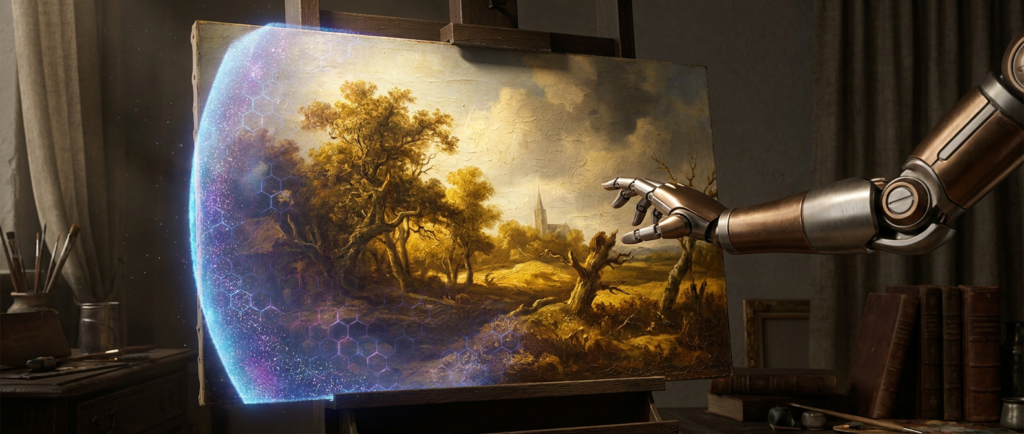
To defend our artwork online, we must understand the precise mechanism of contemporary web scraping. AI web crawlers (such as GPTBot or Common Crawl) scrape the internet for image URLs and accompanying alt text to build multi-billion image datasets.
When these scrapers find a high-resolution image of a painting—for example, an oil painting showing dense impasto (thick, raised paint application) or fine pointillism (dots of pure color blended by the eye)—they don’t just copy the image file. They decompose the stylistic relationships, color palettes, and structural brushstrokes into mathematical vectors.
Standard watermarks placed in the corners or semi-transparent overlays are easily bypassed. Modern deep-learning image-inpainting models can isolate the watermark area, analyze the surrounding pixel patterns (like the underlying canvas weave or canvas texture), and accurately reconstruct the hidden brushwork, rendering traditional overlays ineffective.
2. Technical Safeguards: Data Poisoning and Cloaking
Rather than trying to stop all downloads, modern protection relies on altering the data so it becomes unusable for AI training engines.
Data Poisoning via Nightshade and Glaze
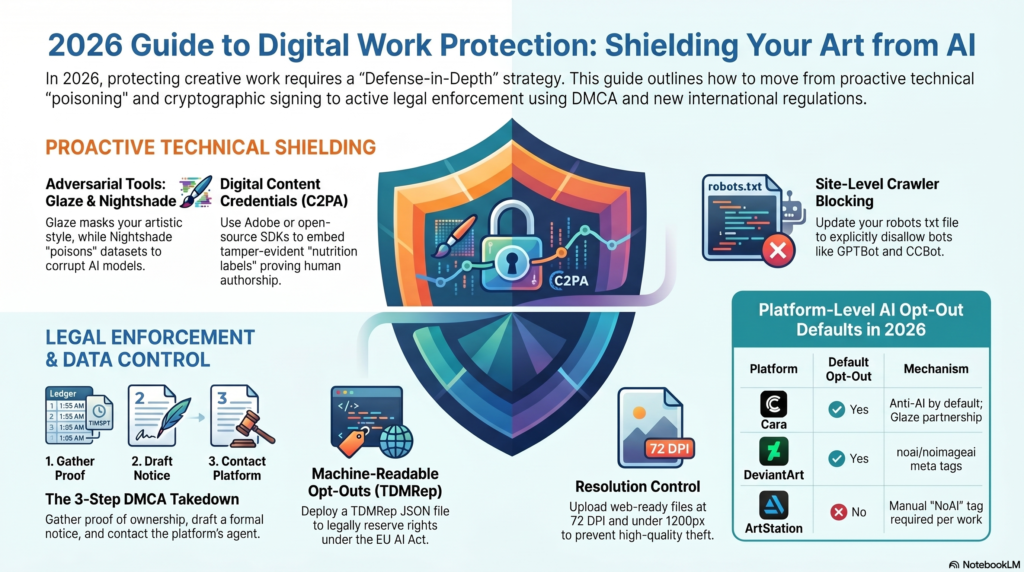
Developed by researchers at the University of Chicago, Glaze and Nightshade are two powerful, pro-artist technical tools designed to alter image data at the pixel level.
- Glaze (Style Masking): Applies subtle, human-imperceptible pixel alterations to an image. To the human eye, a watercolor painting retains its soft washes and delicate watercolor blossoms (where wet pigment expands into clean water). However, an AI engine reads the image completely differently—for instance, misinterpreting the soft watercolor textures as coarse, fragmented charcoal lines or thick acrylic streaks. This prevents the AI from learning your true style.
- Nightshade (Data Poisoning): This tool goes a step further by introducing targeted data disruption. If you upload a fine art oil portrait protected by Nightshade, the AI model registers the image as something entirely unrelated, like a dog or a car. When AI companies train models on thousands of “poisoned” images, it degrades the model’s ability to generate accurate images based on user text prompts.
Our Recommendation: Integrate these tools into your post-production pipeline. Before exporting final digital files for your online gallery or shop, run your JPEG or PNG exports through the Glaze desktop app to add a protective style mask.
3. Disabling AI Bots via Server-Side Protocols
You can prevent automated crawlers from scraping your online portfolio or website by adjusting your server configurations. This is handled through the site’s root directory using a file called robots.txt.
While some bad actors ignore these guidelines, major search engine crawlers and mainstream AI developers respect well-configured exclusion records.
Updating Your Robots.txt File
To block mainstream AI data harvesters, add the following text block to your robots.txt file via your WordPress file manager or an SEO plugin:
Plaintext
User-agent: GPTBot
Disallow: /

User-agent: ChatGPT-User
Disallow: /

User-agent: Google-Extended
Disallow: /

User-agent: ClaudeBot
Disallow: /

User-agent: Anthropic-user
Disallow: /
4. Digital Asset Optimization: Resolution and Curation Control
When preparing original artwork for display in our digital galleries, we should carefully balance visual appeal with security. High-resolution images are essential for showing fine artistic details, but they are also prime targets for scrapers and physical print counterfeiters.
1.Limit Display Resolution:File Export Phase.
Never upload high-resolution print files (300 DPI) to your website. Downsample display images to 72 DPI and cap the maximum width or height at 1200 pixels. This size preserves online clarity while rendering the file useless for high-quality commercial printing.
2.Strip EXIF Metadata:Asset Preparation.
Digital camera files contain hidden EXIF data, including camera models, lenses, geotags, and copyright settings. Use image editing software or specialized metadata scrubbers to remove this information, replacing it with a clean, standardized IPTC copyright notice that asserts your full ownership.
3.Apply Micro-Textures or Digital Noise:Image Processing.
Before uploading, apply a very fine layer of digital noise or a micro-textured canvas pattern across the image. While invisible to the average visitor, these structural anomalies interfere with automated segmentation tools used by generative AI models.
4.Disable Right-Click and Text Selection:Site Deployment.
Use a lightweight WordPress plugin or custom JavaScript to disable right-click interactions across your image galleries. While technically savvy users can still find images through source code, this step stops casual image scraping and automated context menu downloads.
5. Establishing Definitive Provenance and Legal Infrastructure
The ultimate defense for your digital work is establishing a clear legal and historical trail back to your physical studio. The unique value of fine art lies in its physical reality: the texture of the canvas, the choice of pigments, and the precise hand-applied layers.
Utilizing Digital Provenance Registries
We advise digital and physical artists to adopt the standards set by the Content Authenticity Initiative (CAI). Backed by industry leaders like Adobe, the CAI provides open-source tools that embed secure, tamper-proof metadata—known as Content Credentials—directly into your digital images.
These credentials act as a digital passport for your artwork. They record the exact date, time, and author of the file, along with any edits made along the way. If someone scrapes your image and strips out your visible signature, the underlying Content Credential remains intact, providing proof of your authorship to AI platforms and legal entities.
Structural Comparison: Protecting Physical Prints vs. Digital Portfolios
When organizing your portfolio or online storefront, implement protective steps across all asset types:
| Security Attribute | Digital Portfolio Files | Physical Print Reproductions | Original Canvas Works |
| Primary Risk | Automated AI scraping and style extraction | Unauthorized file duplication and physical print piracy | Counterfeiting and physical provenance theft |
| Max Safe Resolution | 72 DPI downsampled (Max 1200px width) | 300 DPI high-fidelity print files (restricted to printer) | N/A (Physical object) |
| Technical Countermeasure | Pixel cloaking using Glaze or Nightshade | Micro-watermarking or embedded digital asset tracking | Embedded physical microchips or signed certificates |
| Metadata Protection | Embedded IPTC Copyright and CAI Credentials | Secure backend print files with limited server access | Documented listing in our permanent physical registry |
FAQ Section
Can AI scrapers steal my physical oil or watercolor paintings?
AI web crawlers cannot access physical artwork directly, but they can scrape digital photos or high-resolution scans uploaded to online galleries. If an AI engine indexes a high-quality photo of your painting, it can extract and replicate your unique brushwork, composition styles, and color palettes.
Does a standard copyright notice stop AI tools from using my work?
A copyright notice asserts legal ownership, but it does not technically block automated scrapers. To stop these tools, you need to combine legal notices with technical measures like robots.txt rules and style-masking software.
What is the best way to prove ownership of an artwork if it gets stolen?
The most effective approach is maintaining a clear record of creation. Keep your early sketches, work-in-progress photos, high-resolution source files, and timestamped digital proofs using Content Credentials. For physical art, a signed certificate of authenticity and a documented entry in an established registry offer reliable legal proof.
Updated GO