
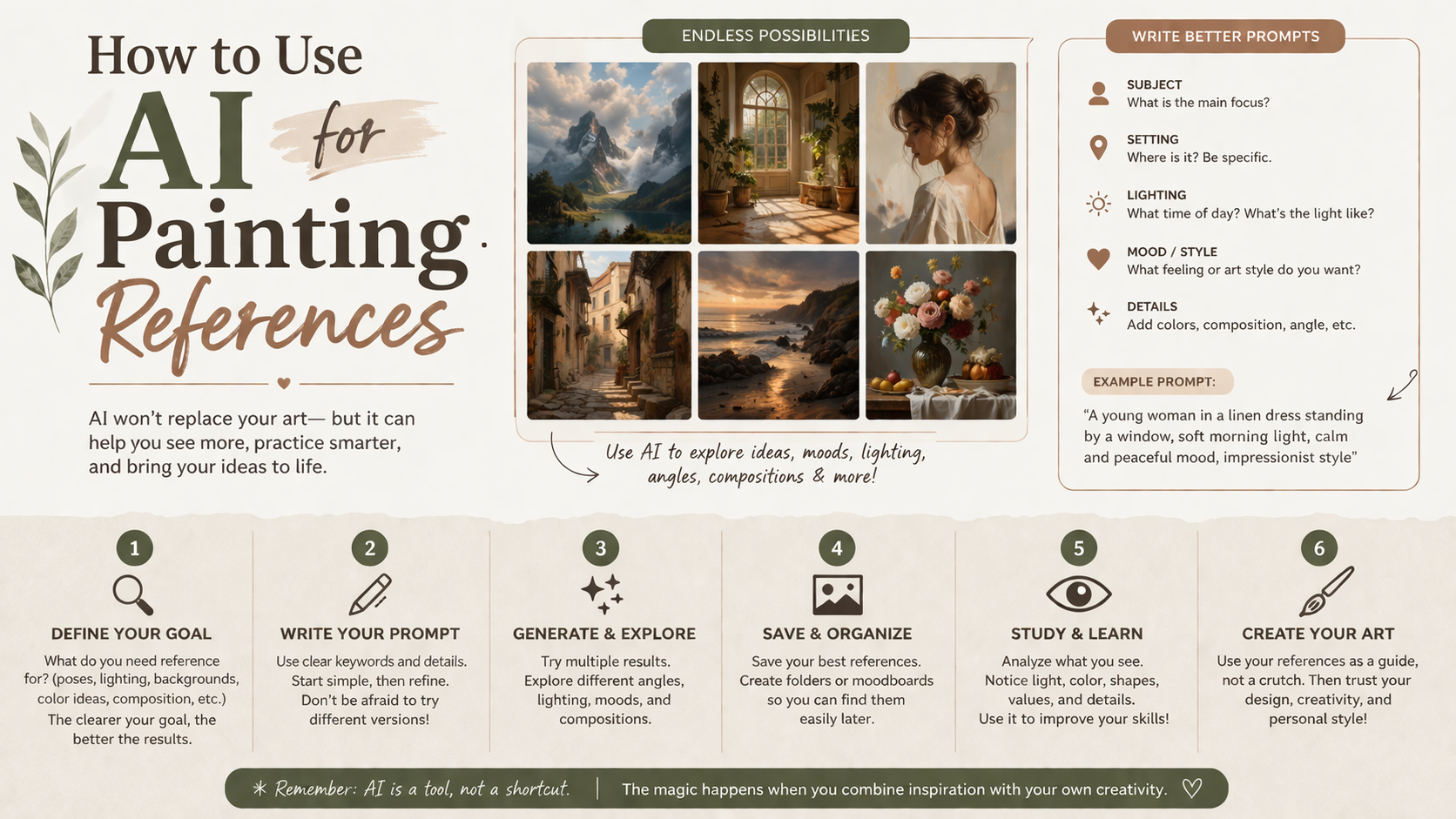
Summary: Staring at a blank canvas is paralyzing. Finding the perfect reference photo is often just as hard. AI art generators solve this by acting as your personal, infinite digital sketchbook. This guide shows you how to write effective prompts and turn digital concepts into real, physical paintings. Start creating your own references today.
The blank canvas is loud. It demands perfection before you even pick up a brush. You spend hours scrolling through Pinterest or Google Images looking for the exact lighting or composition you want. You compromise. You settle for a reference photo that is only half right.
It doesn’t have to be this way. Artificial intelligence isn’t here to replace your paintbrush. It’s your new digital sketchbook. By using an AI generator, you can conjure the exact reference you need in seconds. We’re going to walk through exactly how to command these tools. You’ll learn to bypass the intimidation and get straight to the joy of painting.
What Is an AI Art Generator and How Can It Help Painters?

An AI art generator is a digital tool that creates images from text descriptions. It helps painters by instantly producing custom reference photos. You can specify exact lighting, subjects, and compositions to practice your skills without spending hours searching for the right image.
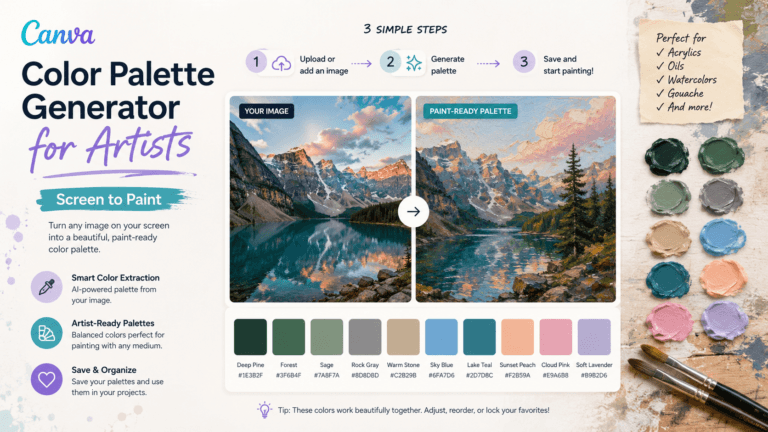
Think of it as a creative partner. If you want to paint a moody lighthouse at sunset, you just ask for it. Programs like Midjourney or DALL-E 3 allow you to experiment with ideas before wasting precious paint. This is especially helpful when you are getting started with watercolors. You can test out color palettes digitally and see how they interact before ever touching wet paper.
The Collaborative Canvas
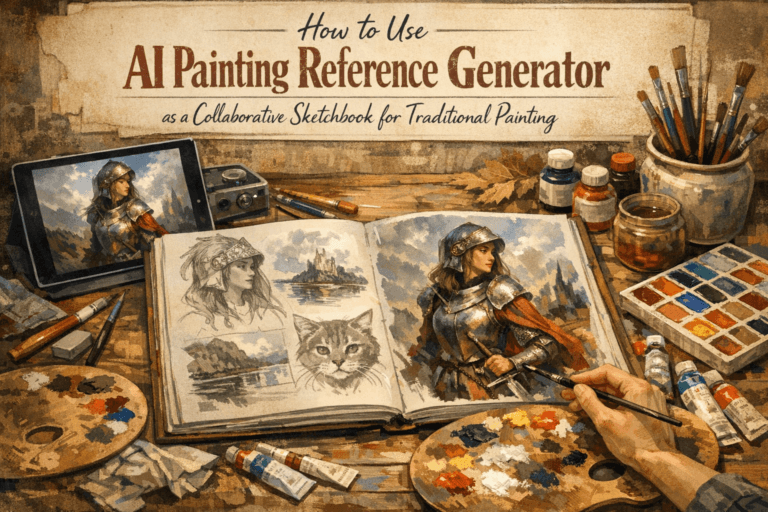
You don’t have to accept the first image the computer spits out. The process is highly iterative. You can generate a basic landscape and then ask the tool to change the sky to a vibrant sunset. You’re collaborating with the machine.
Tools like Hatch Canvas allow you to tweak specific areas. This means you control the composition entirely. If the tree is in the wrong spot, you move it. This level of control is a game changer for artists struggling to find creative inspiration. You are the director, and the AI is just building the stage for your final performance.
How Do You Write Effective Prompts for Painting References?
Effective prompts focus on lighting, color theory, and composition instead of hyper-realism. You should describe the subject clearly, specify the mood or time of day, and mention the desired angle. Keeping instructions simple yields the best reference photos for traditional painting.
Your words are your brushstrokes here. Be specific about the atmosphere. Instead of typing “a dog,” try typing “a golden retriever sitting in a sunlit room, strong shadows, warm color palette.” Mastering AI prompt engineering takes a little practice, but it’s incredibly rewarding.
Focus on the core elements of art. Ask for dramatic side lighting or complementary colors. Don’t worry about rendering every single hair on the dog. You want a guide, not a finished masterpiece.
| Bad Prompt | Better Prompt | Why It Works |
| “A red apple” | “A red apple on a wooden table, dramatic side lighting, chiaroscuro” | Gives you clear light and shadow shapes to paint. |
| “Sunset over water” | “Ocean sunset, complementary colors orange and blue, low angle perspective” | Sets up a strong color theory foundation. |
From Screen to Canvas
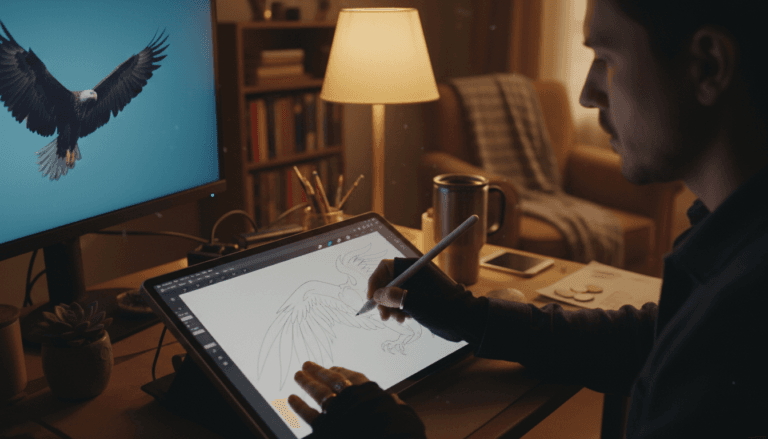
Now you have a beautiful digital reference. The next step is translating it to the real world. Don’t try to copy the AI image exactly. Use it to understand where the shadows fall. Notice how the colors interact.
If you are diving into oil painting for beginners, use the reference to map out your initial block-in. The AI provides the blueprint. Your brush provides the soul. Add your own brushstrokes, alter the colors if you feel like it, and make the piece your own. The goal is to demystify the setup process so you can actually start painting without fear.
Can I Sell Art Based on AI References?
Yes, you can sell traditional art created using AI-generated references. Because you are translating the digital concept into a physical medium with your own hands and style, the final painting is your original creation. Always review current copyright guidelines for specific AI platforms.
The art community is still navigating this landscape. However, using AI for a reference is similar to using a photograph you took yourself. The value comes from your physical execution. The way you layer the paint and the texture of your canvas cannot be replicated by a screen. You’re adding the human touch. To understand this deeper, explore our complete guide on digital art generation.
Stop letting the search for the perfect reference photo hold you back. The tools to create exactly what you see in your head are already at your fingertips. Generate a prompt today. Mix your paints tomorrow. Share your AI-assisted quiet triumphs in our Community Gallery and let us see what you bring to life.
Frequently Asked Questions
Is using an AI reference considered cheating in art?
No, using an AI reference is not cheating. It is simply a modern tool, much like a camera or a projector. The physical skill of applying paint to canvas still belongs entirely to you.
Do I need a powerful computer to use AI art generators?
You do not need a powerful computer. Most AI art generators run entirely in your web browser or through mobile apps. As long as you have an internet connection, you can generate reference images.
Which AI generator is best for beginners?
DALL-E 3 and Midjourney are excellent choices for beginners. DALL-E 3 is known for understanding plain conversational English very well. Midjourney produces incredibly artistic and painterly results.
Can AI generate references in specific painting styles?
Yes, you can ask an AI to generate images in the style of impressionism, watercolor, or oil painting. This helps you visualize how brushstrokes might look before you try them yourself.
How do I get the lighting right in my AI prompt?
Be highly descriptive about the light source. Use phrases like “golden hour,” “harsh studio lighting,” or “soft diffuse window light.” This ensures your generated reference has clear shadows and highlights to paint from.

Olly
Olly Farmer M.Sc, B.Sc, PGCE 25 years experience of Watercolor Painting and AI Art; teacher for 13 years; Creator of Art Tools; Art Gallery Contributor of Art Articles to Medium.com, LinkedIn and Facebook
Continue exploring
PROMINENT PAINTING
Keep your creative momentum
Get new painting guides, practical techniques and artist stories delivered without the noise.
Occasional emails. Unsubscribe whenever you like.