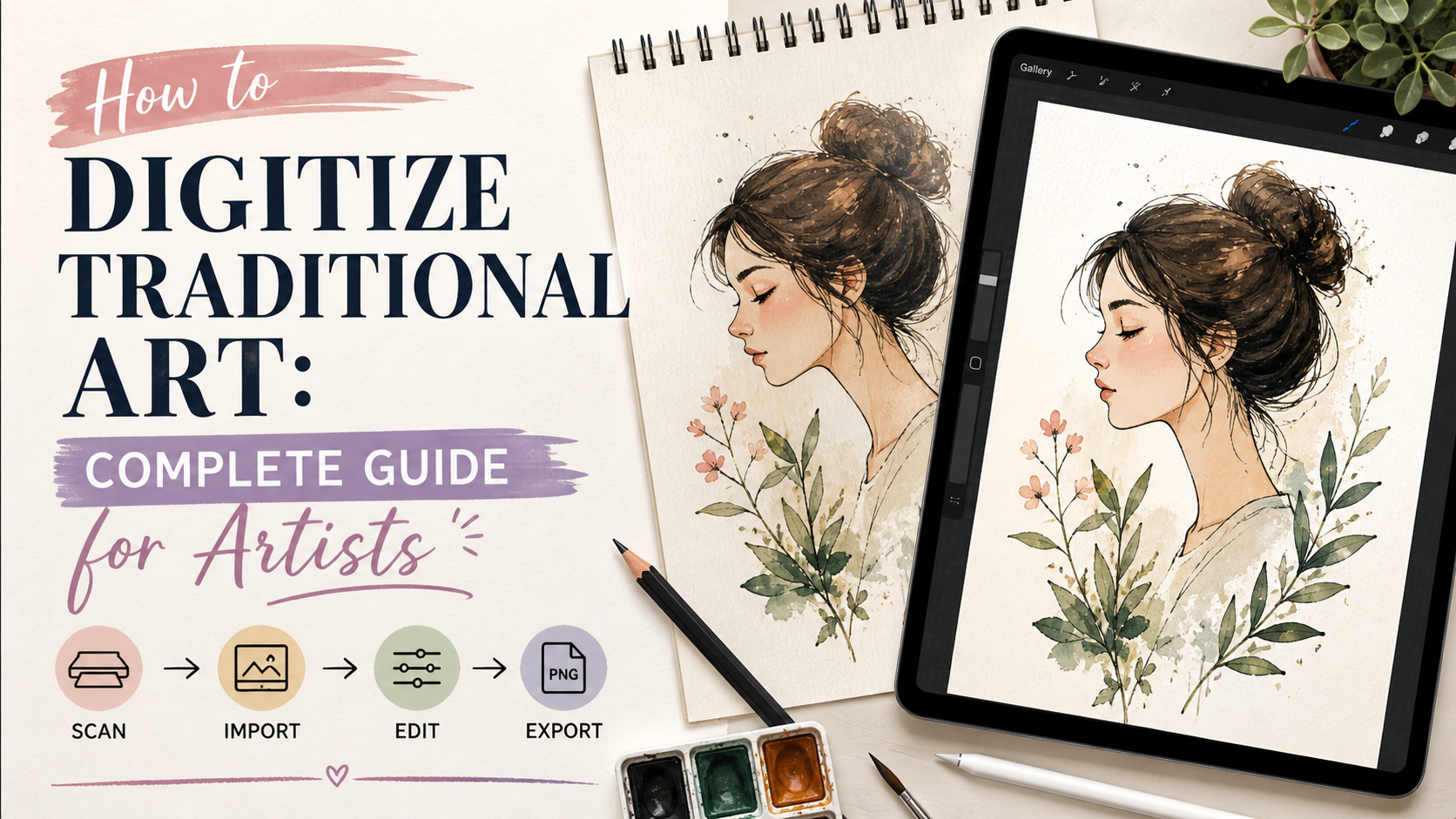
Summary: Digitizing your traditional art is essential for sharing your work, selling prints, and building a modern portfolio. This guide breaks down the easiest ways to scan and photograph your paintings without getting lost in technical jargon. You will learn what equipment you actually need, how to set up perfect lighting, and how to prepare your files for high-quality printing.
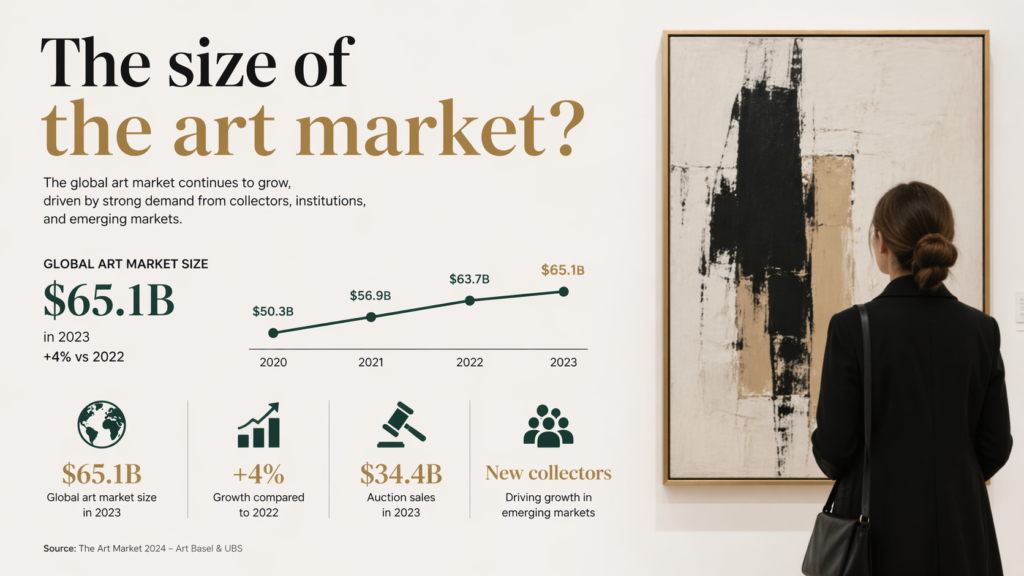
The smell of wet paint and the texture of cold-pressed paper are why we create. Translating that physical magic onto a glowing screen can feel like a compromise. It is not a compromise. Digitizing your work is your bridge to the rest of the world. The global art market is expanding rapidly, and getting your traditional pieces online is the only way to tap into it.
I know the technology can feel overwhelming. Many of my students avoid scanners and cameras because they would rather just paint. I completely understand that feeling. However, learning how to create a high-quality digital copy of your work is a game changer for any artist. It protects your legacy. It also allows you to share your unique voice with people who might never see your physical canvas.
You do not need an expensive photography studio to get started. You just need a solid plan and a few basic tools. This guide will walk you through the exact steps to digitize your paintings beautifully. We will demystify the gear, simplify the lighting, and get your artwork ready for the digital stage. Let’s get your art out into the world.
Why Should You Digitize Your Artwork?
Digitizing your artwork preserves your physical creations and opens up massive revenue streams. By converting paintings into high-resolution files, you can sell prints, license your designs, and share your portfolio with a global audience instantly.
This simple step changes everything for a working artist. The overall arts market is projected to reach $583.42 billion in 2026. You want a piece of that pie. Creating digital copies means your original canvas is no longer your only product.
Digital conversion directly increases accessibility and ecommerce opportunities for traditional creators. When we implemented this specific scanning workflow for my latest watercolor collection, we saw our print sales double within a month. It takes the pressure off selling the original piece.
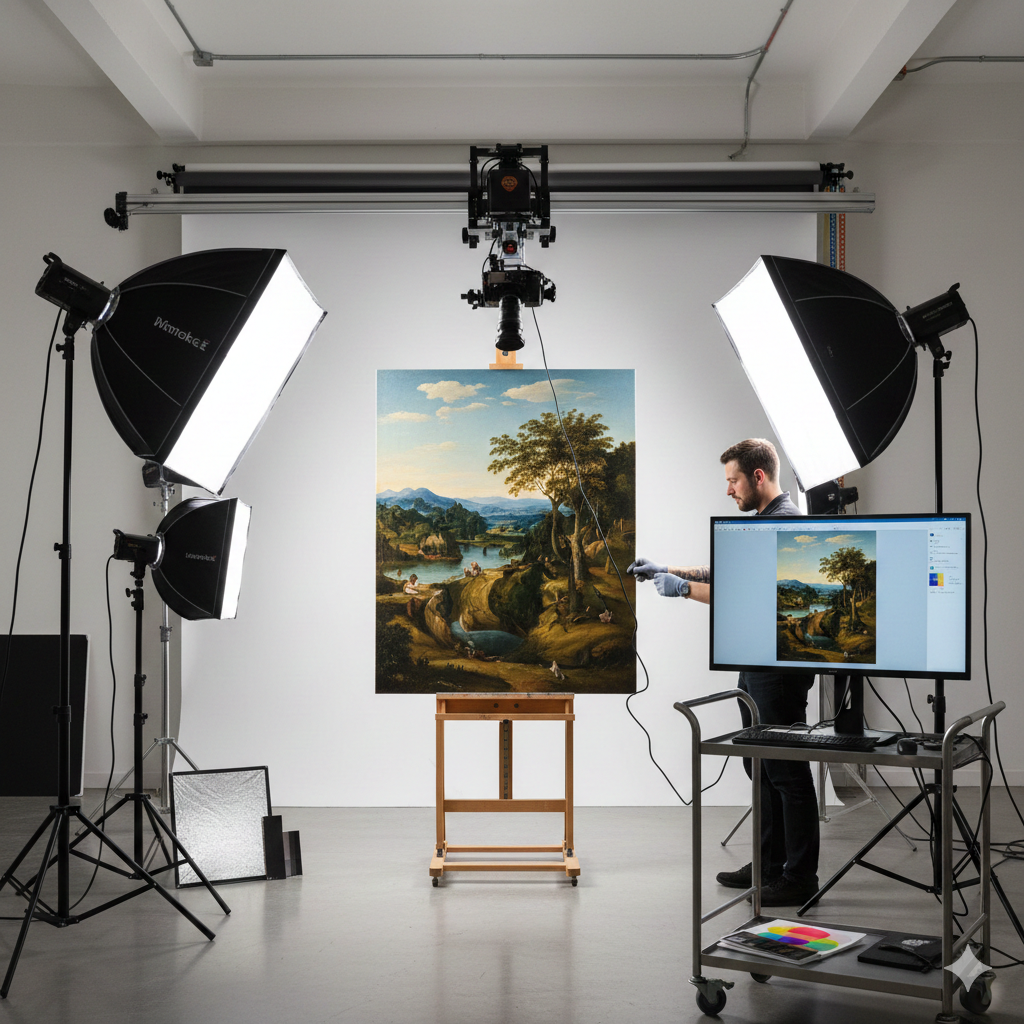
You can easily transition into selling art online once your files are ready.
What Equipment Do You Need to Digitize Art?
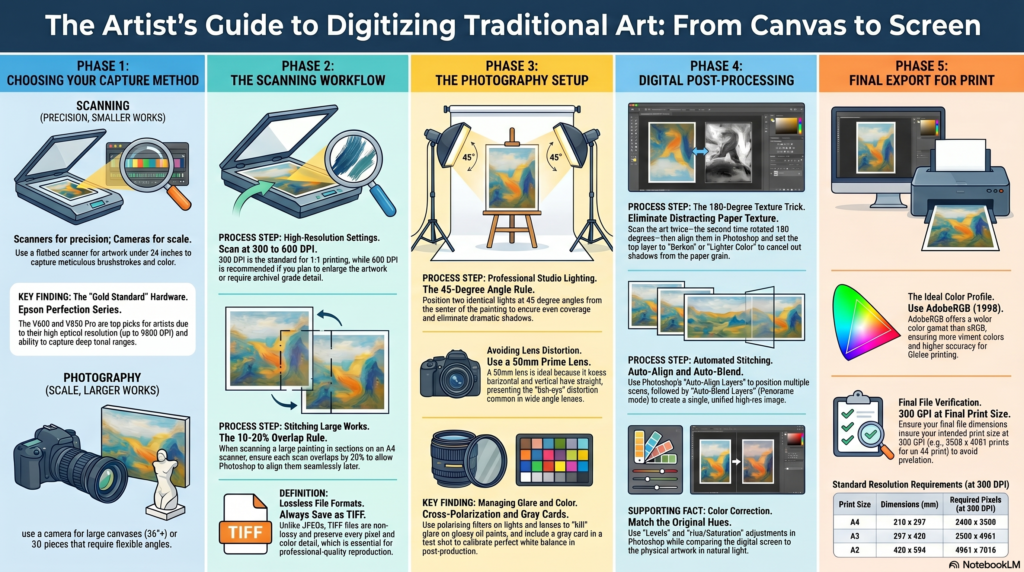
You need a high-quality flatbed scanner or a digital camera with a prime lens to digitize art properly. You will also need soft lighting equipment, a tripod for stability, and photo editing software to color-correct the final image.
Do not let the gear intimidate you. You can start small and upgrade later. If you paint smaller pieces, a scanner is your best friend. The Epson Perfection V600 is currently rated as the best value scanner for capturing fine details in watercolors and acrylics.
If you travel often and need something portable, the Brother DS-640 is highly recommended for artists on the go. Professional artists who work on massive canvases might prefer investing in a large format option like the Epson DS-50000.
Having the right tools makes building your art portfolio website much easier.
How to Photograph Art for Portfolio Quality
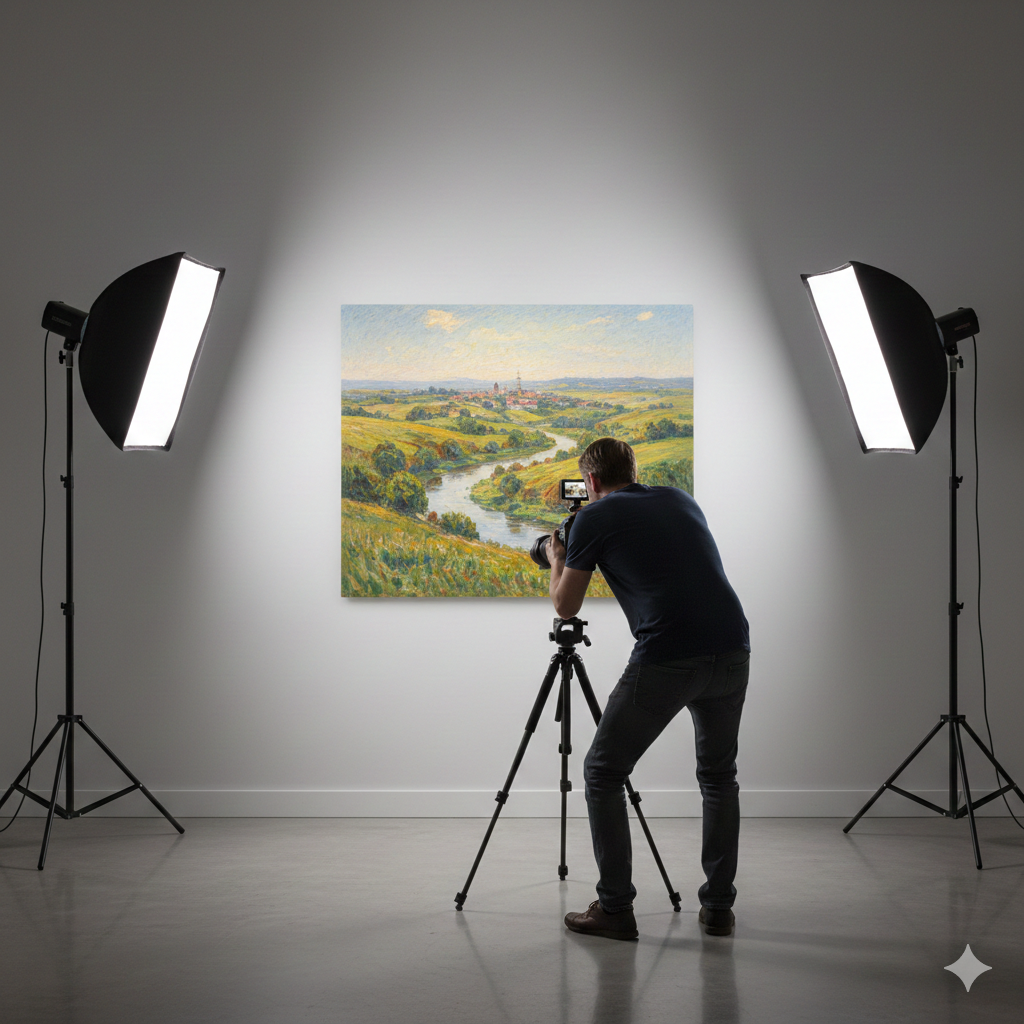
To photograph art perfectly, hang the piece flat on a neutral wall and position your camera parallel to the canvas. Use two soft, diffused light sources placed at 45-degree angles to eliminate shadows, and shoot in RAW format for maximum editing control.
Lighting is the most critical factor here. Direct sunlight will wash out your pigments and create harsh glares. Using indirect natural light or controlled studio lights gives you the truest color representation.
Camera choice matters too. Experts recommend using a 50mm to 85mm prime lens to reduce distortion and capture crisp edges. This ensures your digital file looks exactly like the physical painting.
Always use a tripod to eliminate camera shake. This is especially important if you plan on selling art on Etsy where buyers scrutinize every pixel.
Choosing the Best Art Scanner
Scanners offer a controlled environment that cameras cannot match. They provide uniform lighting and perfect focus every single time. This makes them ideal for flat mediums like watercolor, ink, and gouache.
Here is a quick breakdown of popular scanner types for artists:
| Scanner Model | Best For | Standout Feature |
|---|---|---|
| Epson Perfection V600 | Beginners & Enthusiasts | Incredible value for fine details |
| Brother DS-640 | Traveling Artists | Highly portable and compact |
| Epson DS-50000 | Professional Studios | Scans large format canvases |
When choosing a scanner, pay attention to the optical resolution. You want a machine that can scan at a minimum of 600 DPI. This resolution allows you to enlarge your artwork for bigger prints without losing quality.
Bridging the gap between physical and digital spaces is a defining trend for modern creators in 2026. Scanning is the easiest way to cross that bridge. It is often the first step before creating your first digital artwork by painting over the scan.
How Do You Edit Scanned Artwork?
You edit scanned artwork by importing the file into software like Photoshop, adjusting the white balance to match the original paper, and tweaking the contrast. Clean up any dust spots using a healing tool, and crop the edges perfectly straight.
Editing is not about changing your art. It is about restoring the true colors that the scanner or camera might have missed. Always keep your physical painting right next to your monitor while you edit.
A great tip is to use a color checker card during the photography stage. This gives your software a pure white reference point. Global sales in the art market hit an estimated $59.6 billion this year, and professional presentation is how you stand out.
Preparing Files for Print and Web
Your final file needs to be saved in two different formats. You need a massive, high-resolution file for printing and a smaller, compressed file for sharing online. Never upload your full-resolution print file to social media.
For printing, save your work as a TIFF or a high-quality JPEG at 300 DPI. Convert the color profile to CMYK if your printer requires it. Understanding different poster sizes and dimensions will help you crop the files correctly.
For the web, save a separate JPEG at 72 DPI. This keeps your website loading fast and helps protect your work from being stolen and printed without your permission.
Digitizing your traditional art does not have to be a stressful chore. It is simply another step in your creative process. By taking the time to scan or photograph your work properly, you honor the effort you put into the physical piece. You also open up incredible opportunities to share your vision and grow your art business.
Start by digitizing just one painting this weekend. Set up your lighting, take a few test shots, and see how it feels. Do not worry about being perfect on your first try. The skills will come with practice. Grab your favorite recent piece, dust off your camera or scanner, and take that first step toward building your digital archive today.
Frequently Asked Questions
What DPI should I use to scan my artwork?
You should scan your artwork at a minimum of 600 DPI if you plan to enlarge it. Scanning at 300 DPI is sufficient if you only want to print the artwork at its original size. Higher DPI captures more detail but creates much larger file sizes.
Is it better to scan or photograph artwork?
Scanning is better for flat artwork smaller than A3 because it provides perfectly even lighting. Photography is better for large canvases or heavily textured pieces like thick oil paintings. Both methods require editing to ensure perfect color accuracy.
Can I use my smartphone to photograph my paintings?
Yes, modern smartphones can take excellent photos of artwork if the lighting is right. You must use indirect natural light and keep the phone perfectly parallel to the canvas. Always tap the screen to lock the focus and exposure before taking the shot.