
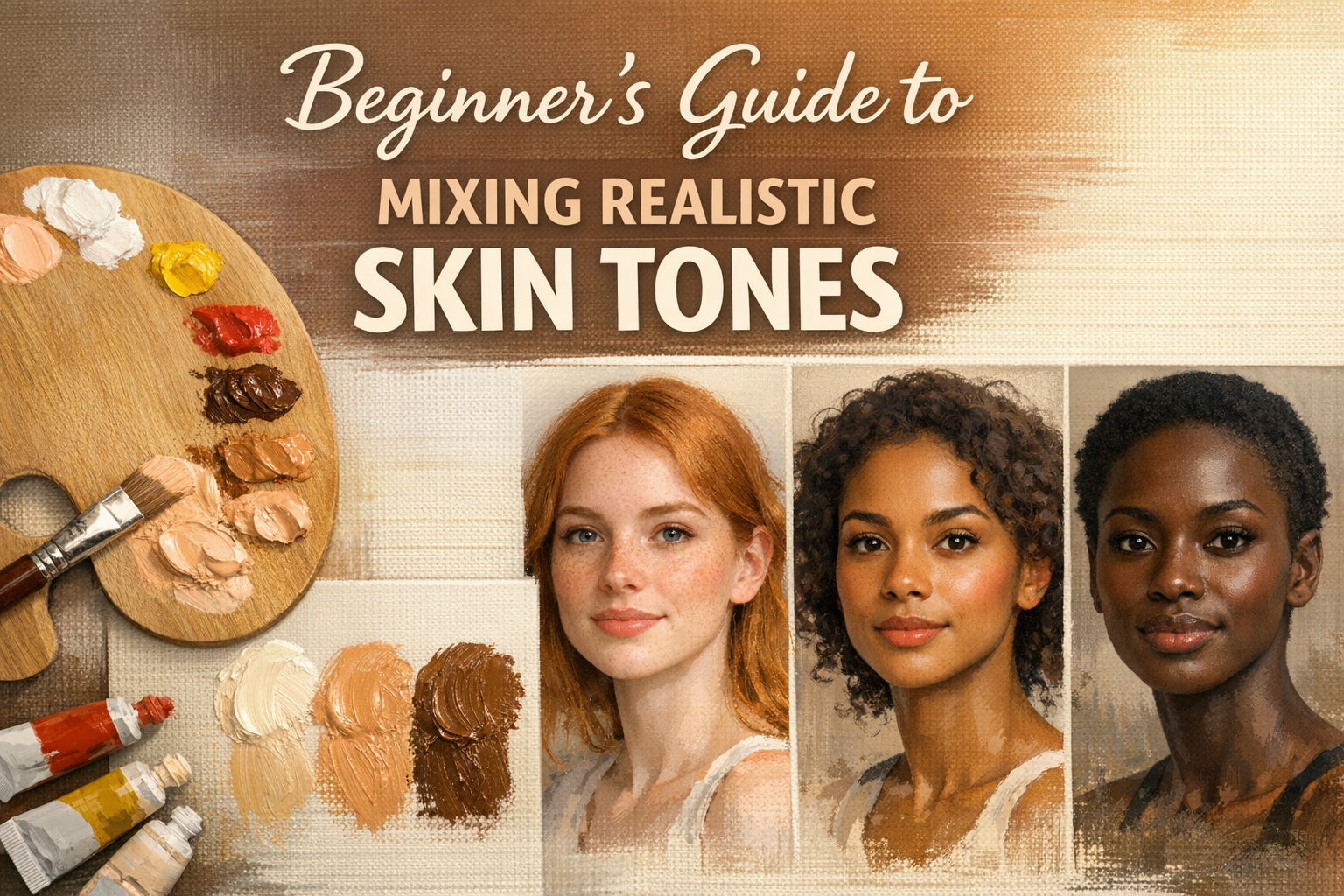
We’ve all been there. You buy a tube of paint optimistically labeled “Flesh Tint” or “Portrait Pink,” squeeze it onto your palette, and apply it to your canvas. The result? Your subject ends up looking like a plastic department store mannequin.
Mixing realistic skin tones is one of the most intimidating hurdles for beginner painters. It’s easy to feel frustrated and overwhelmed, especially when your mixes keep turning into a muddy, unidentifiable gray. But here is the good news: realistic skin is not about buying 50 different tubes of specialized paint. It is about understanding a very basic formula using just three to four core colors.
Here is your foolproof guide to ditching the plastic look and mixing lifelike, glowing skin tones.
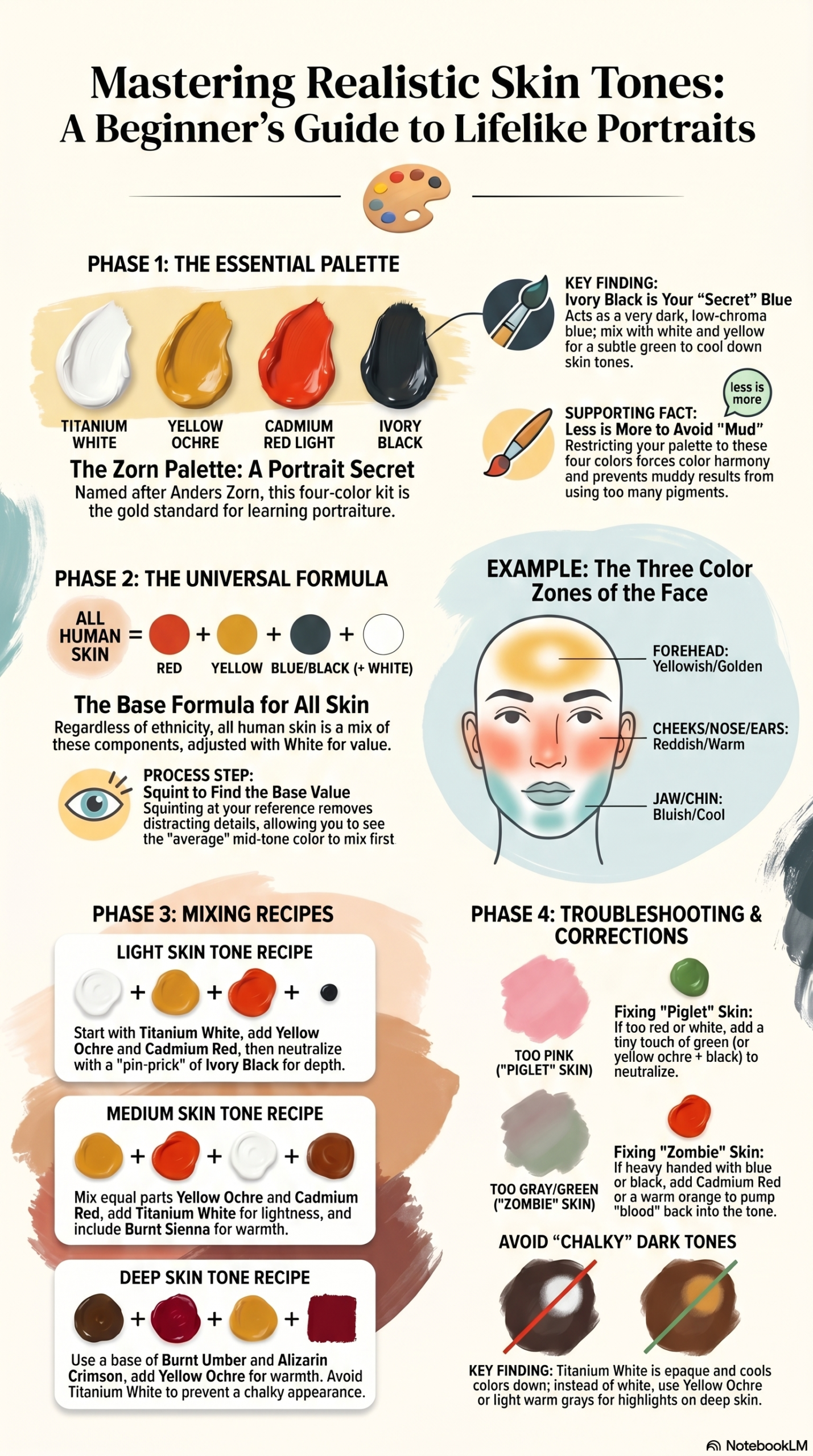
The Essential Skin Tone Palette (Less is More)
The biggest mistake beginners make is using too many colors. Every time you add a new pigment to a mixture, you get closer to creating mud. By restricting your palette, you force color harmony across your entire painting.
The Zorn Palette: A Portrait Painter’s Secret Weapon
Named after the legendary Swedish artist Anders Zorn, this four-color palette is considered the holy grail for learning portraiture. It consists of:
- Titanium White
- Yellow Ochre
- Cadmium Red Light (or Vermilion)
- Ivory Black
Why does this work so well? Ivory Black actually acts as a very dark, low-chroma blue. When mixed with White and Yellow Ochre, it creates a subtle green that is perfect for cooling down overly warm skin tones. The Zorn palette forces you to focus on values (light vs. dark) rather than getting distracted by wild, saturated colors, making it nearly impossible to mix neon, unnatural skin.
The Universal Formula for All Skin Types
Whether you are painting pale, porcelain skin or deep, rich, dark skin, the underlying formula is exactly the same. All human skin tones are made of primary colors (Red + Yellow + Blue/Black) adjusted with White for value.
Finding the Base Value
Before you worry about the rosy flush of a cheek or the dark shadow under a chin, you need to find the base mid-tone. Squint at your reference photo. Squinting removes the distracting details and allows you to see the overall “average” color and darkness of the skin. Mix this base color first in a large batch.
The Three Color Zones of the Face
Human skin is not a uniform color. Because of the way blood vessels and bone structure sit beneath the skin, the face is generally divided into three subtle color zones:
- The Forehead (Yellowish/Golden): The skin here is thin and pulled tight over the bone, reflecting more of the natural melanin and fat.
- The Cheeks, Nose, and Ears (Reddish/Warm): This area has a higher concentration of capillaries and blood flow near the surface.
- The Jaw and Chin (Bluish/Cool/Greenish): Shadowed by the face itself, and in men, influenced by microscopic hair follicles (even when clean-shaven), this area leans cool.
Pro Tip: Don’t paint these zones in bold blocks. Just gently push your base skin tone slightly toward yellow, red, or blue depending on the zone you are working in.
3 Simple Skin Tone Recipes (Your Mixing Cheat Sheet)
Note: Bookmark this page or write these down in your studio journal for easy reference!
To get you started, here are three reliable starting points. Remember to adjust the ratios based on your specific lighting and subject.
1. Light Skin Tones
- Start with a generous amount of Titanium White.
- Add a scoop of Yellow Ochre.
- Mix in a smaller touch of Cadmium Red.
- The Secret: Add a microscopic pin-prick of Blue or Ivory Black to neutralize the mix and give it depth.
2. Medium Skin Tones
- Mix equal parts Yellow Ochre and Cadmium Red.
- Add Titanium White until you reach the desired lightness.
- Add a touch of Burnt Sienna (if you have it) for warmth.
- Neutralize with a slight touch of Blue or Ivory Black.
3. Deep Skin Tones
- Start with a base of Burnt Umber and Alizarin Crimson (a cooler red).
- Add Yellow Ochre to warm it up.
- The Secret: Avoid using too much Titanium White to lighten dark skin—it will instantly turn the mix chalky and gray. Instead, use a warm earth tone or a touch of yellow to find your highlights.

Troubleshooting: How to Fix Common Flesh Tone Mistakes
If your mix has gone off the rails, don’t throw the palette away. You can almost always correct it using basic color theory.
“My skin tone looks like a piglet (Too Pink)”
You’ve used too much red or too much white.
The Fix: Look at the color wheel. The opposite of red is green. Add a tiny touch of green (or a mix of yellow ochre and black) to neutralize the aggressive pink and bring it back to a natural, earthy tone.
“My skin tone looks like a zombie (Too Gray/Green)”
You’ve been heavy-handed with your blue, black, or green. The mix has lost its life.
The Fix: Warm it up. Add a touch of cadmium red or a warm orange to pump the “blood” back into the skin.
“My dark skin tones look chalky”
As mentioned above, Titanium White is highly opaque and cools down whatever it touches.
The Fix: Stop using white to create highlights on dark skin. Use lighter, warm colors like Yellow Ochre, Naples Yellow, or even a very light, warm gray.
Next Steps: Create Your Own Swatch Chart
Reading about color mixing is one thing; feeling the paint under your brush is another. The fastest way to overcome the frustration of portrait painting is to practice without the pressure of an actual painting.
Today’s Studio Task: Get out a piece of scrap canvas or canvas paper. Draw a 3×3 grid. Using only the four colors of the Zorn Palette (White, Yellow Ochre, Red, Black), try to mix nine distinct, realistic skin tones ranging from light to dark.
Every great portrait artist started exactly where you are right now—making a few muddy puddles before finding the perfect glow. Trust the process, keep your palette simple, and happy painting.

Opal Jonson
Experienced Artist
Continue exploring
PROMINENT PAINTING
Keep your creative momentum
Get new painting guides, practical techniques and artist stories delivered without the noise.
Occasional emails. Unsubscribe whenever you like.