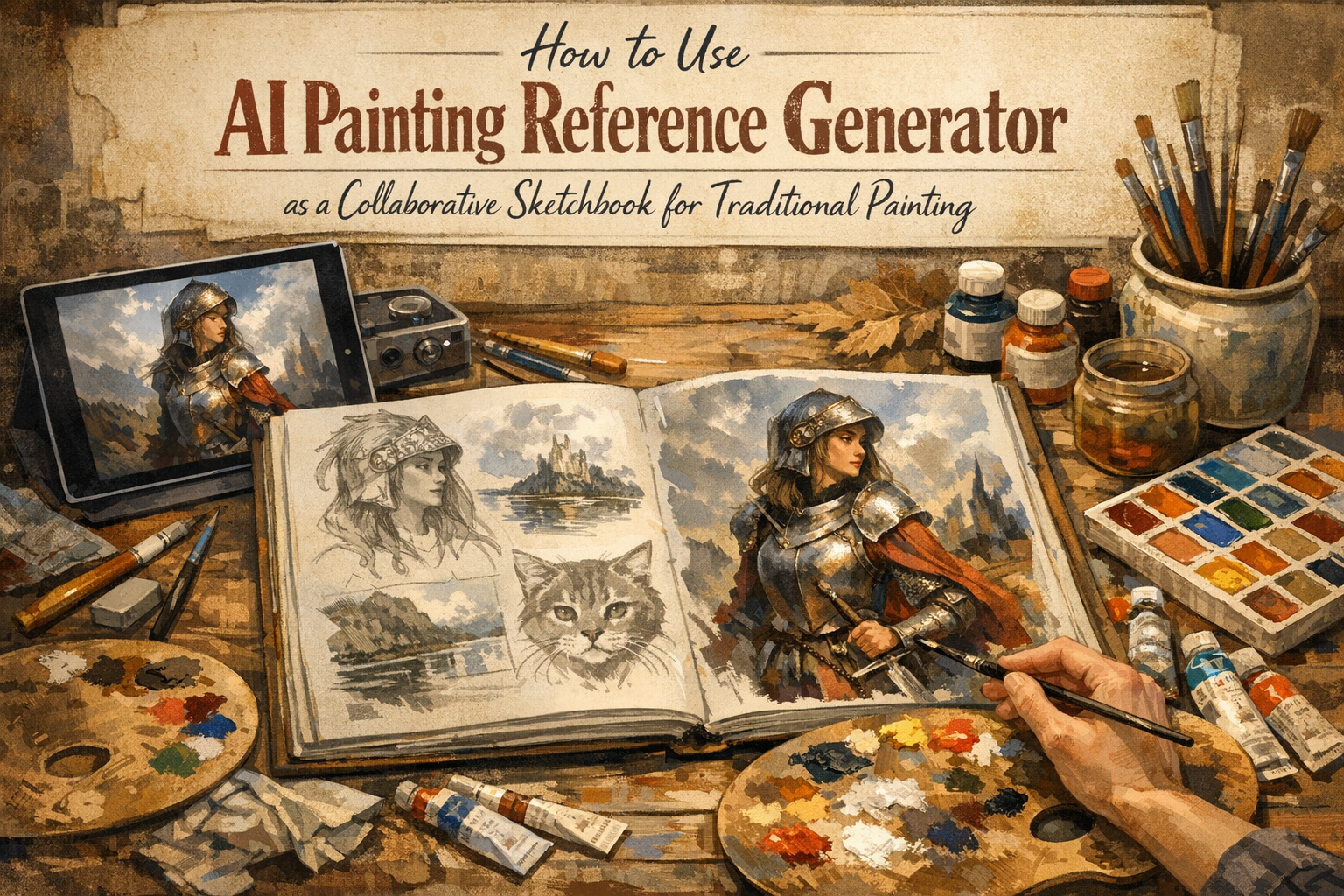
Summary: Blank canvas syndrome stops many beginners from ever starting a painting. You can overcome this paralysis by using an AI painting reference generator as a collaborative sketchbook. This guide shows you how to prompt AI for traditional art styles and translate those digital concepts into real, physical paintings. Learn to embrace technology as a starting point while keeping the irreplaceable human touch in your art.
You stare at the blank white square. Nothing happens. The pressure builds in your chest.
Backed by over a decade of teaching experience, I see students freeze up at this exact moment constantly. Blank canvas syndrome is a very real psychological barrier that stops countless beginners from creating. Recent data from the Stanford AI Index Report shows that early-stage ideation is where creators face the most friction.
But what if you had an endless sketchbook to help you brainstorm?
Today, an AI painting reference generator offers a brilliant solution. It removes the terror of starting. You do not have to rely on generic stock photos or perfect your own imaginative sketching before mixing your colors. Instead, you can use AI art tools to map out lighting, composition, and mood. You will learn how to generate the perfect reference image and then put the screen away to create something entirely your own.
Why Is Blank Canvas Syndrome So Hard to Overcome?
Blank canvas syndrome happens because the brain perceives unlimited choices as a threat. When you have no starting reference, the pressure to create something perfect from nothing triggers anxiety. Finding a solid starting image breaks this paralysis instantly and gives your hands a clear direction.
The fear of making a mistake on a pristine surface is universal. According to a 2025 survey by Artsy, over 60% of new artists abandon projects before making the first mark. When you learn how to overcome creative block, you realize that having a visual anchor is vital. An AI-generated image serves as that anchor. It gives you a low-stakes environment to test out terrible ideas before you ever waste a drop of expensive paint.
Framing AI as Your Digital Sketchbook
You must change how you view artificial intelligence. It is not a replacement for your skill. It is merely a digital sketchbook. TechCrunch recently reported a massive shift in how creatives use these tools: they use them to draft, not to finish.
When you use AI reference photos, you control the vision. You are the art director. You can tell the machine to generate a still life with a very specific blue light coming from the left side. The Art Newspaper highlights that using AI for personal reference is widely accepted as an ethical practice in the traditional art community. It is exactly like setting up a complex still life with props and lamps in your studio. You are just doing it with pixels first.
How Do You Prompt an AI Painting Reference Generator?
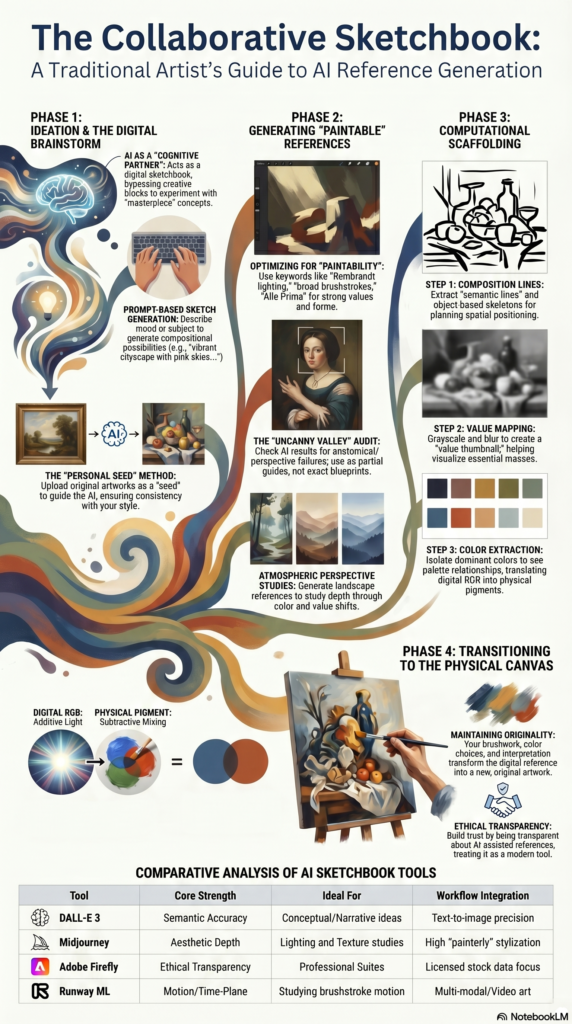
Prompting an AI for painting references requires you to specify the medium, lighting, and mood. Instead of asking for a generic landscape, you must tell the tool to simulate a specific style with dramatic sunlight. This yields a highly usable foundation for your physical artwork.
To get the best results, you need a formula. The Concept Art Association suggests treating the AI like a literal camera. Use this basic structure: [Subject] + [Lighting] + [Medium Style] + [Color Palette].
🎨 AI Reference Prompt Generator
Describe your vision below. We’ll format it perfectly for Midjourney, DALL-E, or Stable Diffusion to create your traditional painting reference.
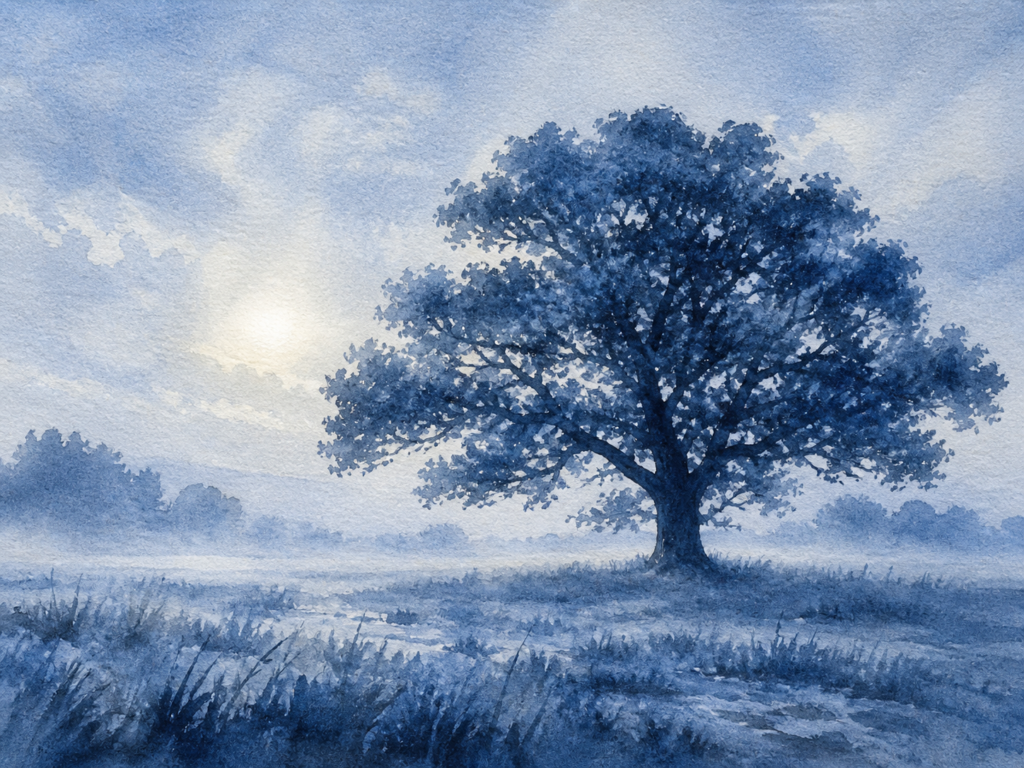
Example using Prompt with ChatGPT
For example, if you are starting with watercolors, your prompt might look like this: “A solitary oak tree in a misty field, soft morning lighting, wet-on-wet watercolor style, monochromatic blue scale.” Midjourney’s latest documentation confirms that adding medium-specific terms helps the AI generate simplified, paintable shapes rather than hyper-realistic photographs.
Translating Screen Pixels to Canvas Pigments
Once you have your generated reference, the real work begins. You must turn off the screen mentality and switch to your painter mentality. Do not try to copy the AI image exactly. Machines do not understand brushstrokes.
Instead, look for the big shapes and the dramatic contrasts. Focus on your physical blending techniques to bring the digital concept into the real world. Adobe’s 2025 Creative Trends report notes that digital colors are backlit and inherently brighter than physical pigments. You will need to adjust your mixing to compensate. Use the AI image to understand where the shadows fall, but use your own human intuition to decide how the paint should feel on the canvas.
Can Traditional Painting Survive the AI Revolution?
Traditional painting will survive because the human touch is irreplaceable. While AI can generate endless reference concepts in seconds, it cannot replicate the physical texture of oil paint or the emotional energy transferred through a human hand. Technology assists the creative process; it does not complete it.
There is a growing hunger for tangible, physical art. Polygon recently covered the massive resurgence of traditional media among younger generations. People want to see the texture of the canvas and the slight imperfections of a human brushstroke. Your AI painting reference generator is just a tool to help you get there faster.
Conclusion
Using an AI painting reference generator is one of the smartest ways to bypass blank canvas syndrome. By treating these tools as collaborative sketchbooks, you can plan your lighting, test your colors, and start your actual painting with total confidence. The magic does not happen in the prompt. The magic happens when your brush touches the canvas.
Grab your paints and try generating your first reference image today. I want to see your quiet triumphs. Share your AI reference photo next to your finished traditional painting in our Community Gallery!
Frequently Asked Questions
What is the best AI generator for painting references?
Midjourney and DALL-E 3 are currently the top choices for artists. They understand complex lighting and medium-specific prompts very well. You can easily ask them to mimic watercolor or heavy oil impasto.
Is it cheating to use AI for art references?
No. Using AI to generate a reference is functionally the same as using a search engine to find a reference photo. According to modern artistic standards, using it as a starting point to create your own physical work is entirely valid.
How do I make my AI reference look like a watercolor?
You must include medium-specific keywords in your prompt. Use phrases like “loose watercolor style,” “wet-on-wet technique,” or “visible paper texture.” This forces the AI to simplify the image into paintable shapes.
Do I need to copy the AI image exactly?
Absolutely not. The AI image is just a map for your lighting and composition. You should inject your own style, change colors, and alter details as you paint on your physical canvas.
Who owns the copyright to an AI reference image?
Currently, fully AI-generated images cannot be copyrighted by the prompter. However, once you use that uncopyrightable image as a loose reference to paint a unique physical artwork by hand, your new physical painting belongs entirely to you.