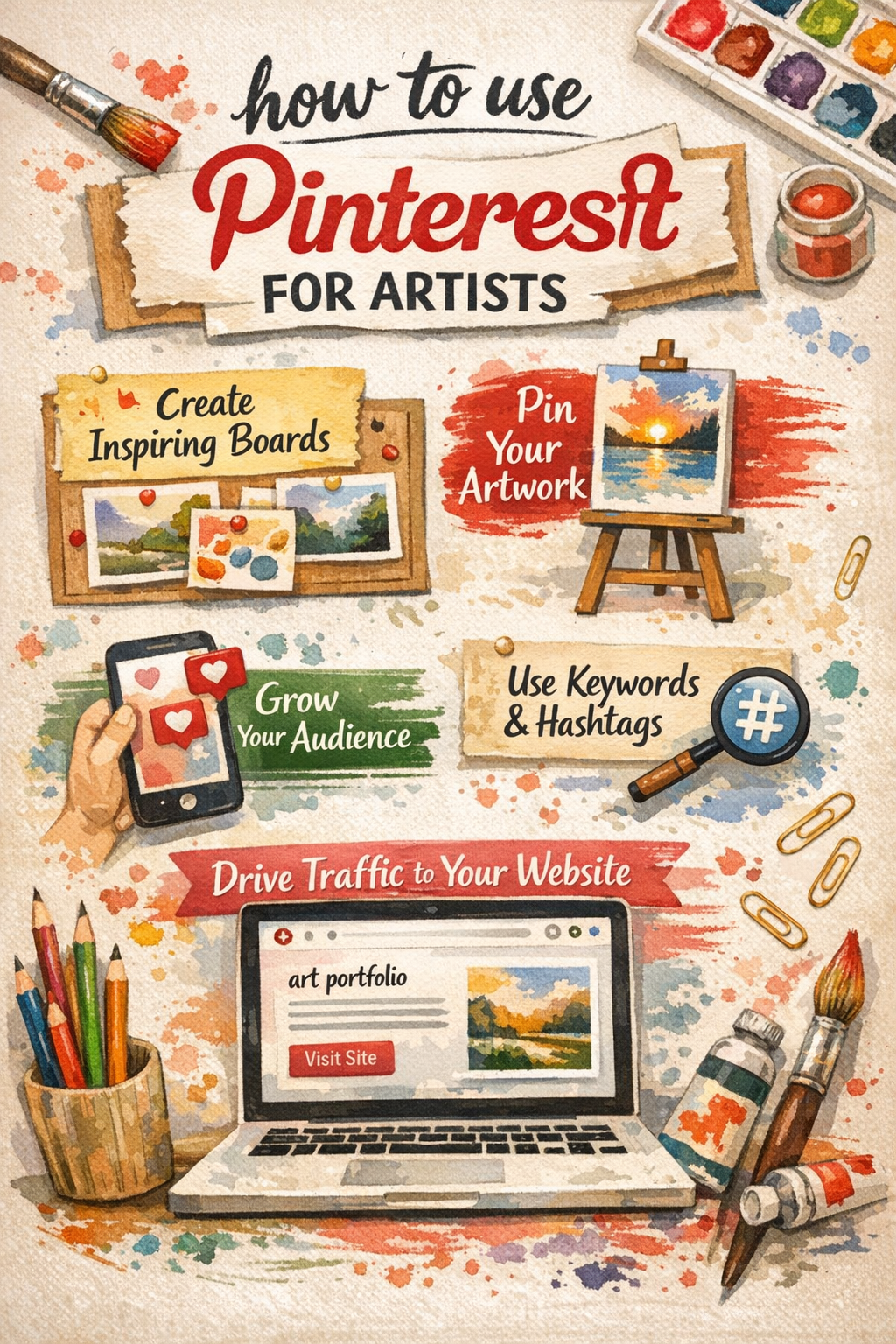
Learning how to use Pinterest for artists can feel overwhelming at first. This guide breaks down the simple steps to build your profile, share your paintings, and find fresh ideas. You will learn the difference between standard and business accounts to maximize your reach. Start organizing your visual inspiration today and turn your art hobby into a growing online presence.
Are you tired of posting your art online only to watch it disappear down a fast-paced feed? Learning how to use Pinterest for artists is the perfect solution for this common frustration. Pinterest acts more like a search engine than a standard social platform. It allows your artwork to be discovered for months or even years after you first post it.
As an arts educator with over a decade of teaching experience, I see many beginners struggle to share their work. They feel intimidated by the constant demand for new content. But Pinterest is different. It offers a mindful space for visual discovery. When we implemented this approach for our watercolor students, we saw their confidence soar as their paintings steadily reached hundreds of new viewers over several weeks.
This guide will show you exactly how to set up your account, organize your ideas, and showcase your creative journey with ease. Let us dive into the colorful world of pinning.
Why Is Pinterest Good for Artists?
Pinterest is a visual search engine that helps artists share their work, find creative ideas, and drive long-term traffic to their websites. Unlike fast-paced social feeds, pins can continue to attract viewers and potential buyers for months or even years.
This image-first design makes it a natural home for painters. The platform primarily focuses on sharing and discovering visual content. Because of this, it is an ideal space for artists to showcase their work and gain inspiration. The user base is highly engaged, with women making up about 60% of the audience.
The social media influence on painters can sometimes feel negative. Many apps demand daily videos and trending audio. Pinterest allows you to focus simply on your beautiful images. You can post a painting today, and someone might find it through a search next year.
Setting Up Your Pinterest Business Account
Your first step is deciding what type of profile you need. Anyone can make a personal account. However, if you want to share your own art, a business account is much better.
A Pinterest business account unlocks analytics, scheduling, and tools for growth. It is completely free to upgrade or start a business account. Once you set it up, you can see which of your paintings get the most clicks. This is a vital step when you want to build your art brand.
Here is a quick look at the differences:
| Feature | Personal Account | Business Account |
| Cost | Free | Free |
| Analytics | No | Yes |
| Link Tracking | Limited | Advanced |
| Best For | Collecting ideas | Sharing your own art |
When you set up your profile, use a clear photo of yourself or your artwork. Write a simple bio that tells people what kind of art you make.
How Do You Create Themed Pinterest Boards?
You create themed Pinterest boards by clicking the plus icon on your profile and organizing your saved images into specific categories. This keeps your portfolio tidy and helps other users easily find the exact type of art they want to see.
Think of boards like virtual folders. A unique aspect of this site is that it allows users to create themed boards. This enables artists to categorize and present their portfolios in an organized way. You might have one board for “Watercolor Landscapes” and another for “Studio Setup Ideas”.
Boards are also amazing for finding art inspiration. You can save reference photos, color palettes, or tutorials from other creators. Keep your boards clearly named so people know exactly what is inside them.
What Makes a Good Pin for Your Art?
A good pin uses a clear vertical image of your artwork, a catchy title, and a keyword-rich description. Adding a destination link is crucial because it guides interested viewers directly to your website or online store to see more.
Pinterest favors tall images. You should upload clear, vertical photos that follow the pin-centric functionality of the platform. If you paint on a square canvas, you can use free tools to place your square painting onto a vertical background.
Always add a helpful description. Use keywords in your pins, boards, and profile to help people find your content. If you painted a blue ocean, use words like “blue ocean watercolor painting” in your text. Do not forget to link the pin to your website. This is how you successfully sell your art online.
Staying Consistent and Finding Your Flow
The best part about Pinterest is that you do not need to be online constantly. You can sit down once a week, upload a few paintings, and save some inspiring images to your boards.
Make it a relaxing habit. You can pin your old artwork, works in progress, or even pictures of your messy paint palettes. Every image is a chance for someone to discover your creative world.
Remember to be patient. It takes time for the search engine to learn what your art is about. Enjoy the journey from your first sketch to first painting, and let Pinterest do the hard work of finding your audience.
Post-Pinning Promotion Strategies
| Strategy | Action to Take | Why It Works |
| Keyword Optimization | Add highly descriptive keywords (like “watercolor landscape painting”) to your pin’s description and title. | Pinterest functions as a search engine; proper keywords ensure your art shows up when potential buyers search for those specific terms. |
| Strategic Repinning | Save your new pin to multiple relevant personal boards and active community group boards. | It exposes your artwork to different follower segments and established communities actively looking for inspiration. |
| Cross-Platform Sharing | Share the link to your new pin on your Instagram stories, Facebook page, or email newsletter. | Driving your existing audience to Pinterest boosts initial engagement, which can help increase the viral potential of your content. |
| Website Integration | Embed the pin directly into relevant blog posts or galleries on your website. | It prompts your website visitors to save your art to their own Pinterest boards, driving organic traffic back to your site. |
| Promoted Pins (Ads) | Use your Business Account to run a CPC (Cost-Per-Click) campaign targeting specific interests, locations, or keywords. | Paid promotion guarantees visibility and places your art in front of users who are further along in the buying cycle. |
| Community Engagement | Reply to any comments left on your pin and actively engage with similar art from other creators. | Fosters a sense of community and encourages other artists and collectors to visit your profile. |
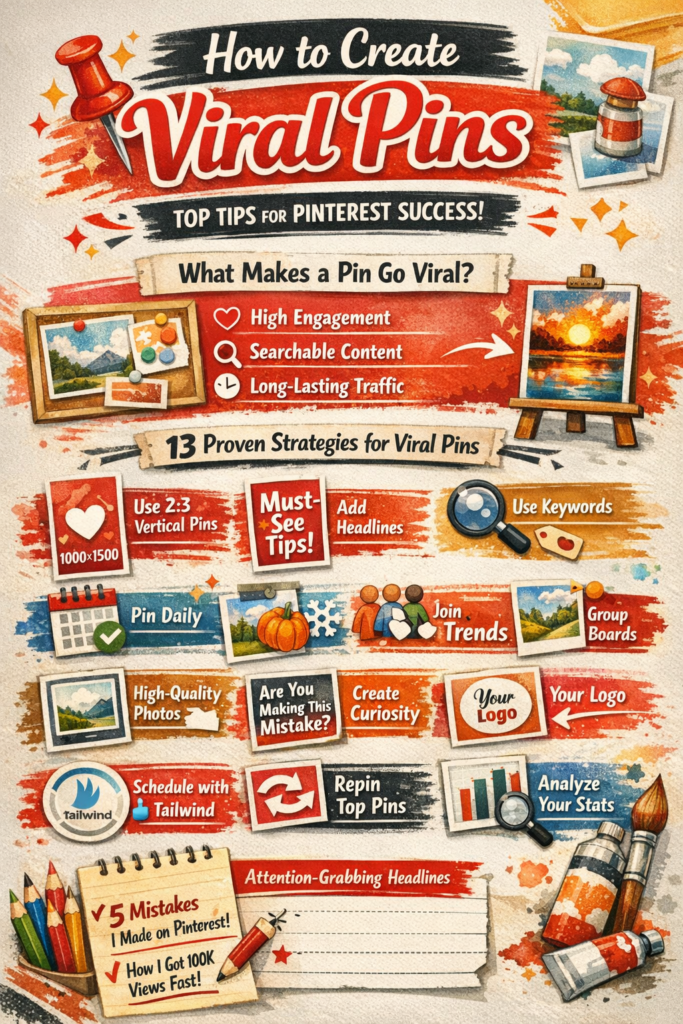
| Strategy | Why It Works |
|---|---|
| Use 2:3 Vertical Format (1000×1500 px) | Optimized for mobile and Pinterest feed. |
| Bold, Readable Text Overlays | Grabs attention and improves click-through. |
| Keyword-Rich Descriptions | Boosts discoverability in search. |
| Pin Daily | Consistency helps algorithm trust your content. |
| Repin Old Pins Strategically | Recycles traffic from proven performers. |
| Join Niche Group Boards | Expands reach to targeted audiences. |
| Align with Seasonal Trends | Timely content gets more engagement. |
| Use Tailwind for Scheduling | Automates posting and analytics. |
| Include Your Logo | Builds brand recognition. |
| Make People Curious | Headlines like “You’re Doing This Wrong…” drive clicks. |
| Use High-Quality Images | Crisp visuals outperform blurry or cluttered ones. |
| Monitor Analytics Weekly | Identify what’s working and double down. |
| Engage with Others | Comments and saves boost algorithmic favor. |
Conclusion
Starting your Pinterest journey is one of the best choices you can make for your art. It removes the stress of daily posting and gives your paintings a permanent home online. Remember to set up a free business account to track your progress. Always use bright, vertical images of your work, and organize them into clear, themed boards.
Now it is your turn to take action. Go create your account today. Make your very first board, and upload a picture of your favorite painting. The world is waiting to discover your unique artistic vision.
Frequently Asked Questions
How often should an artist post on Pinterest?
You do not need to post dozens of times a day. Aim to save a mix of your own art and other inspiring images a few times a week. Consistency matters more than high volume.
Do I need a website to use Pinterest?
No, you do not strictly need a website to start. You can link your pins to your Instagram, an Etsy shop, or leave them unlinked if you just want to share. However, having a website helps you track visitors better.
What is the best image size for Pinterest?
Pinterest prefers vertical images. The ideal size is a 2:3 ratio, like 1000 pixels wide by 1500 pixels tall. This format takes up the most space on mobile screens and grabs attention.
Can I sell my paintings directly on Pinterest?
You cannot process payments directly on the basic platform. Instead, you use pins to show your art and link those images to your online store. The pin acts as a beautiful advertisement for your work.
How do I find the right keywords for my art?
Use the Pinterest search bar like you would use Google. Type in a basic term like “watercolor” and see what words drop down below it. Those suggested phrases are exactly what people are searching for.