Every artist knows the feeling. You sit down, pencil in hand or stylus hovering over the tablet, ready to create a masterpiece. But then… nothing. The dreaded “Art Block” strikes. Your mind goes blank, and that white canvas looks more intimidating by the second.
In the past, artists relied on heavy stacks of magazines, trips to the library, or a messy folder of random JPEGs to find ideas. Today, the best art apps for inspiration and reference have completely changed the game. Whether you are a traditional oil painter or a digital concept artist, having the right digital toolkit can save you hours of frustration and spark creativity instantly.
In this guide, we will dive deep into the 25+ best tools available in 2026. We aren’t just listing apps you already know; we are comparing features, looking at the shift away from AI-cluttered platforms, and helping you build the perfect workflow.
Key Takeaways:
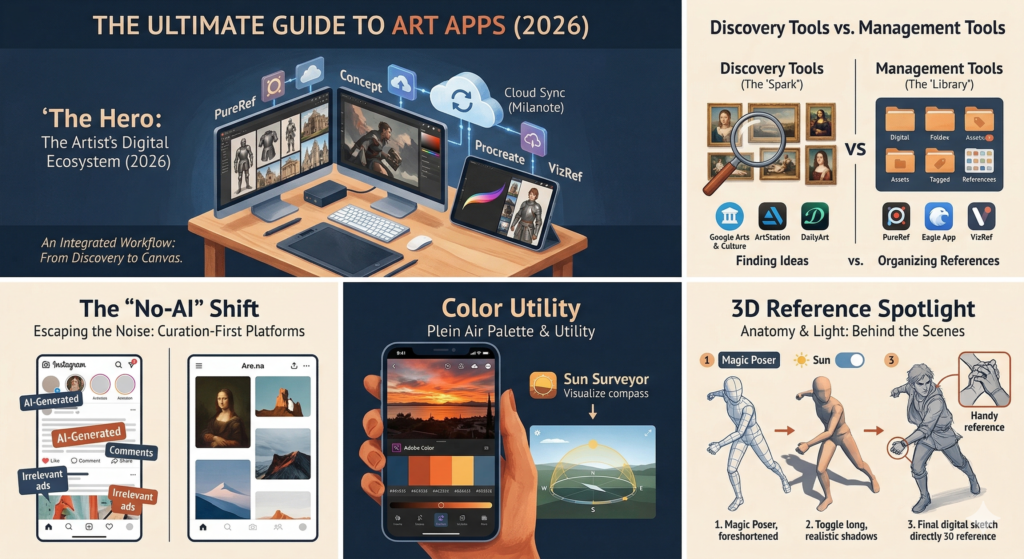
- Best for Discovery: Google Arts & Culture and ArtStation dominate for high-quality images.
- Best for Organization: PureRef is the desktop king, while VizRef rules the iPad.
- The “No-AI” Shift: Why artists are moving from Pinterest to Are.na and Savee.
- 3D Helpers: How Magic Poser and Handy can fix your anatomy struggles.
Why Every Artist Needs a Digital Toolkit
Moving Beyond the Sketchbook: The Digital Advantage
For centuries, the sketchbook was the primary way to collect ideas. Leonardo da Vinci filled pages with anatomical studies and machine designs. While drawing in a physical book is still essential, a digital toolkit offers something paper cannot: speed and infinite storage.
Imagine carrying a museum with 6 million artworks, a library of 3D skeletons that you can pose, and a folder of 10,000 lighting references in your pocket. Digital tools allow you to access specific lighting conditions or historical costumes in seconds. This doesn’t replace your creativity; it fuels it.
Organization vs. Discovery: Choosing the Right Tools
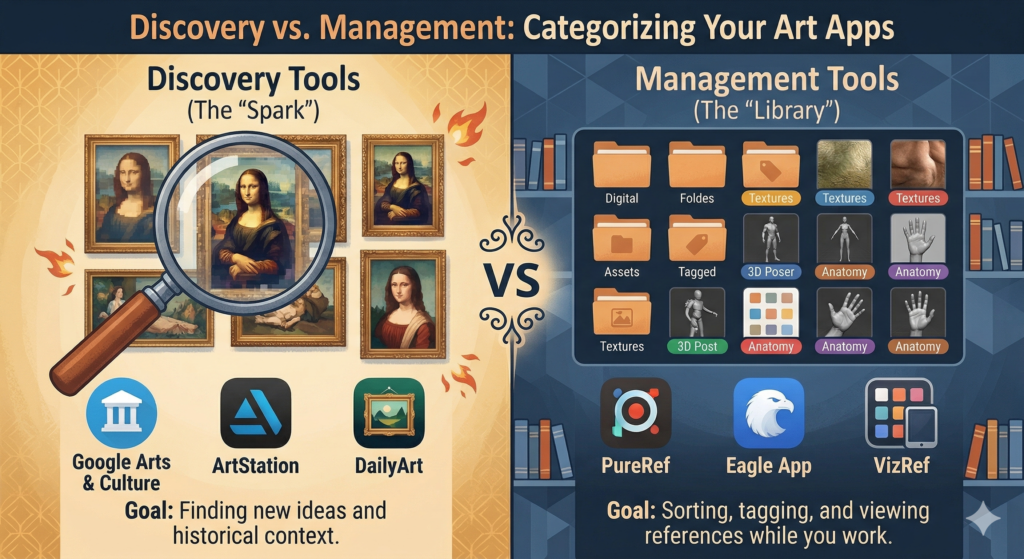
It is important to understand that not all art apps do the same thing. We generally split them into two categories:
- Discovery Tools: Apps used to find new ideas (e.g., Pinterest, DailyArt).
- Management Tools: Apps used to organize and view the ideas you found (e.g., PureRef, Eagle).
Many beginners make the mistake of saving thousands of images to their camera roll, never to be seen again. The goal of this guide is to help you find inspiration and then organize it so you can actually use it for your next landscape painting or character design.
Best Apps for Art Inspiration & Discovery
Finding the best art apps for inspiration and reference starts with knowing where to look. The internet is full of noise, so you need curated sources that provide quality over quantity.
Google Arts & Culture: The Museum in Your Pocket
If you want high-class inspiration without the noise of social media, Google Arts & Culture is unbeatable. It is essentially a partnership with over 2,500 museums and galleries worldwide.
- The Stats: It hosts over 6 million high-resolution artworks.
- Best Feature: The “Art Selfie” is fun, but the 360° Tours and “Zoom Views” are the real tools. You can zoom in on a Van Gogh painting until you see the individual cracks in the oil paint.
- Why use it: It is perfect for studying brushwork and historical fashion without buying a plane ticket to the Louvre.
DailyArt: Your Daily Dose of Art History
Sometimes, you don’t need a search engine; you just need a spark. DailyArt serves you one masterpiece every single day, complete with a short story about the artist and the painting.
With over 1 million active users, it has become a daily ritual for many creatives. It helps you discover artists you might never have found on your own, expanding your visual library beyond modern trends.
ArtStation: The Industry Standard for Digital Creatives
For those interested in digital art, ArtStation is the gold standard. Unlike Instagram, which mixes art with selfies and food pics, ArtStation is strictly professional.
- Best For: Game art, VFX, Concept Art, and 3D modeling.
- The Vibe: High polish. This is where recruiters look for talent.
- Tip: Use the “Trending” tab to see what styles are currently dominating the entertainment industry.
Behance & DeviantArt: Community-Driven Inspiration
Behance (owned by Adobe) is excellent for graphic design, typography, and high-end illustration. It is often more “corporate” and polished than other platforms.
DeviantArt, while one of the oldest communities, is still a massive repository for niche interests, anime styles, and fan art. While the interface has changed over the years, it remains a strong place to find drawing ideas.
Pinterest & Its Alternatives (The “No-AI” Shift)
Pinterest used to be the undisputed king of mood boards. However, in 2024 and 2025, user sentiment shifted. Many artists feel Pinterest has become too “cluttered” with ads and low-quality AI-generated images that make it hard to find authentic references.
If you are looking for Pinterest alternatives for artists without AI, consider these “clean” options:
- Are.na: This is a cult favorite among designers. It has no ads and no “infinite scroll” algorithm designed to addict you. It feels like a quiet library.
- Savee: often called the “designer’s Pinterest.” It is incredibly minimal and focuses purely on the visuals.
- Cosmos: A newer app that focuses on curation and visual connections between images.
Top Reference Management Tools (The “Second Monitor” Essentials)
Once you have downloaded 50 images of medieval armor or futuristic cityscapes, where do you put them? If you leave them in your “Downloads” folder, they are useless. You need a “Mood Board Creator.”
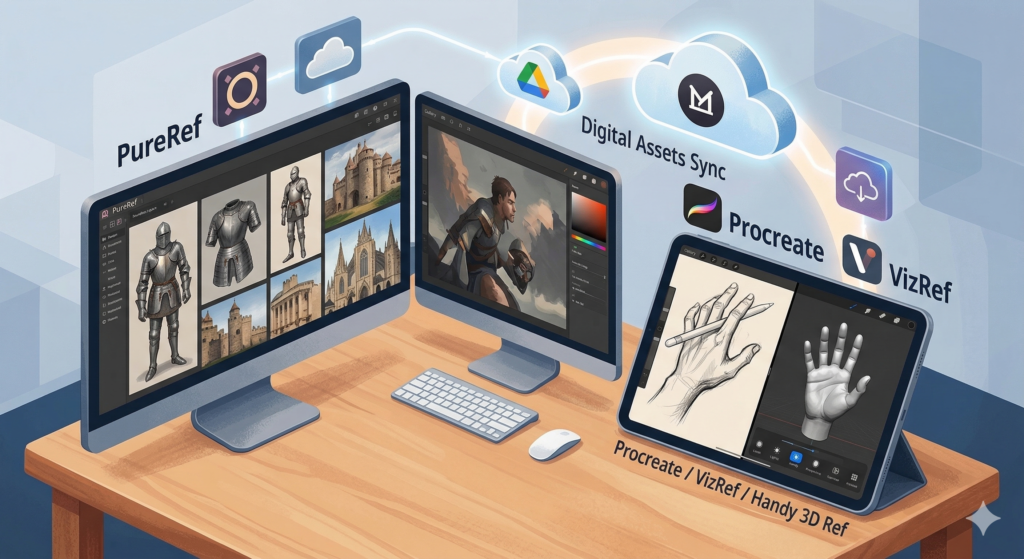
PureRef: The Desktop King
If you ask a professional concept artist what software they use, 9 out of 10 will say PureRef.
- Key Feature: Infinite Canvas. You can drag and drop images from anywhere (browsers, folders) onto a boundless gray space.
- The Magic Shortcut: Ctrl+P (Pack). This automatically arranges your messy pile of photos into a neat, tight puzzle.
- Price: It is “Name Your Price” (even free, though supporting the developer is encouraged).
- Drawback: It is primarily for Windows/Mac desktop, not mobile.
VizRef: The Best Reference App for iPad Artists
Since PureRef doesn’t have a full mobile version, VizRef fills the gap for iPad users.
- Workflow: It is designed to run in “Split View” alongside creative apps like Procreate.
- Why it works: You can keep your reference images open on one half of the screen while you paint on the other. It allows you to flip, crop, and grayscale images instantly to check values.
- Cost: A one-time purchase of roughly $3.99.
Eagle App: Advanced Asset Management for Power Users
If you are a hoarding type of artist who has 50,000 reference images, PureRef might get slow. This is where Eagle App shines.
- Best For: Long-term storage. It’s like a Google Photos specifically for designers.
- Killer Feature: Search by Color. You can ask Eagle to “Show me all images that are primarily blue,” and it will filter your library instantly. This is amazing for color grading and palette research.
- Price: $29.95 (Lifetime license).
Kosmik & Milanote: For Cloud Sync & Mood Boards
If you work on both a PC and an iPad, you need sync.
- Milanote: Think of it as a visual Evernote. You can add notes, colors, and arrows between images. Great for planning entire art projects.
- Kosmik: A newer browser-based infinite canvas that feels like a multiplayer version of PureRef.
Reference Tool Comparison Table
| App Name | Best Platform | Price Model | Top Feature |
|---|---|---|---|
| PureRef | Windows/Mac | Donation / Free | Infinite Canvas & Auto-Align |
| VizRef | iPad (iOS) | ~$3.99 One-time | Split-screen multitasking |
| Eagle | Windows/Mac | ~$29.95 Lifetime | Color Search & Tagging |
| Milanote | Web/Cloud | Free / Subscription | Note-taking & Project Planning |
| Savee | Web | Free / Pro | Minimalist visual feed |
Best 3D Posing & Anatomy Apps
Struggling with figure drawing practice? You aren’t alone. Drawing a hand holding a sword or a figure in extreme perspective is one of the hardest skills to master. 3D mannequins are the modern solution.
Magic Poser: The Most Versatile Posing Tool
Magic Poser is widely considered the best all-around app for posing. It works on your phone, tablet, and browser.
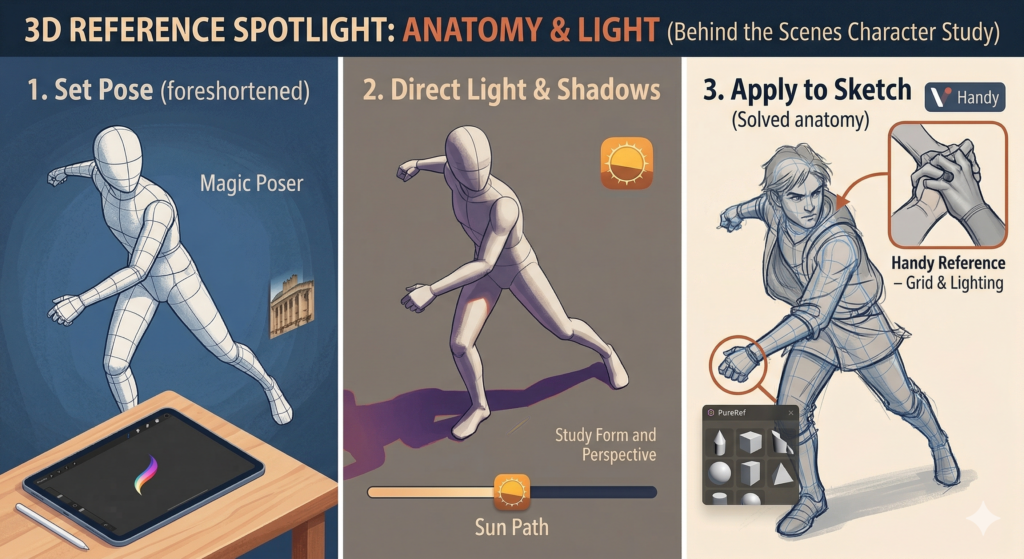
- Features: You can drag limbs naturally. If you pull a hand, the arm follows (Inverse Kinematics). It also supports multi-character scenes and props (swords, chairs).
- Lighting: You can move the “sun” around to see how shadows fall on the face, which is crucial for realistic portrait painting.
- Pricing: There is a robust Free version. The Pro version is a one-time purchase (~$9.99), and the Master version (cloud assets) is a subscription.
Handy Art Reference Tool: Focusing on the Difficult Parts
As the name suggests, Handy focuses on the parts of the body artists hate drawing most: Hands, Feet, and Heads.
- Why it’s great: It uses high-quality scans of real hands, not just robot-looking mannequins. You can chose specific lighting setups to study form.
- Cost: Affordable (usually around $2-$4 per bundle).
JustSketchMe: Browser-Based & Accessible
JustSketchMe is a favorite for users who don’t want to install heavy apps. It runs smoothly in a web browser. It has a very clean interface and includes diverse body types (chibi, muscular, anime, realistic), which helps if you are trying to break out of “same-face syndrome.”
Skelly & ArtPose: Skeleton and Muscle Visualization
If you need to understand what is under the skin, Skelly is fantastic. It allows you to pose a skeleton. This is vital for anatomy study because if the bones aren’t right, the drawing will never look solid. ArtPose offers similar features but focuses on muscle groups, showing you which muscles bulge when an arm is flexed.
Color & Utility Apps for Artists
Inspiration isn’t just about shapes; it’s about color and light. These tools help you master color theory.
Coolors & Adobe Color: Perfect Palette Generators
Coolors.co is the fastest way to generate a color scheme. You just hit the spacebar, and it cycles through colors that mathematically look good together. You can lock the ones you like and keep spinning the rest.
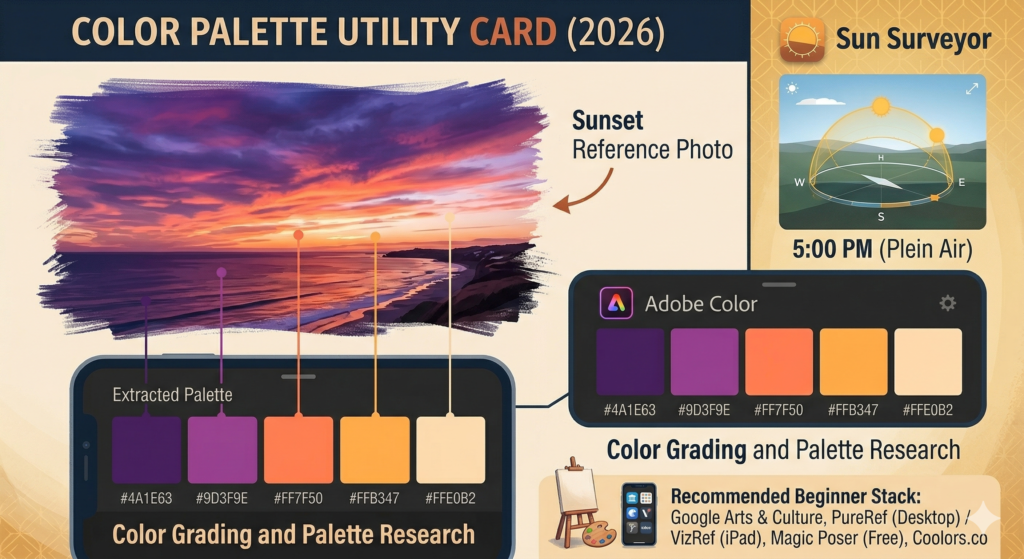
Adobe Color is great for extracting themes. You can upload a photo of a sunset you took, and it will pull out the five dominant colors for you to use in your acrylic painting.
Sun Surveyor: For Plein Air Lighting References
This is a hidden gem for traditional landscape painters. Sun Surveyor visualizes the path of the sun. If you plan to go outside to paint (Plein Air), this app tells you exactly where the sun will be at 5:00 PM, so you can plan your lighting and shadows before you even set up your easel.
User Pain Points & Solutions (FAQ)
Here are the answers to the most common questions artists are asking in 2025 and 2026.
“Pinterest is too cluttered with AI” – What now?
This is the biggest complaint right now. We recommend migrating to Are.na or Cosmos for a cleaner experience. Alternatively, use specific search operators on Google Images (e.g., “-AI -midjourney”) to filter results, though this is becoming harder. Relying on verified databases like Google Arts & Culture is the safest bet for human-made art.
How to sync references between PC and iPad?
The smoothest workflow is Google Drive or Dropbox combined with PureRef (PC) and VizRef (iPad). However, using a cloud-native board like Milanote is the easiest method since it updates instantly on all devices without needing to transfer files.
Are paid posing apps worth it?
For beginners, the free version of Magic Poser is sufficient. However, if you are doing professional comic work or detailed illustrations where perspective is key, the paid version of Handy or Magic Poser Pro is worth the investment. It costs less than a single art book and offers infinite angles.
What are the best apps to find drawing ideas?
If you have “blank page syndrome,” try DailyArt for historical context or browsing the “Trending” tab on ArtStation. For fun, random prompts, there are various “Art Prompt Generators” online, but looking at real history often yields better storytelling ideas.
Conclusion: Building Your Perfect Creative Stack
The era of the starving artist struggling to find inspiration is over. With the best art apps for inspiration and reference at your fingertips, you have access to the world’s museums, perfect lighting simulations, and infinite canvas organizers.
However, remember that these are just tools. A 3D model cannot replace your understanding of anatomy, and a mood board cannot paint the picture for you. They are there to remove the friction so you can focus on what matters: creating.
Recommended Beginner Stack:
- Discovery: Google Arts & Culture (Free)
- Organization: PureRef (Desktop) or VizRef (iPad)
- Posing: Magic Poser (Free version)
Download a few of these today, organize that messy folder of images, and go create something amazing.